2026年4月30日
知识点回顾
#Nginx优化
1.加大文件描述符
vim /etc/
2.time_wite复用
vim /etc/sysctl.conf
3.负载均衡优化
upstream
location
4.静态资源缓存
location
5.配置文件高效传输
6.配置静态资源压缩
7.防盗链
8.允许跨域
9.CPU亲和
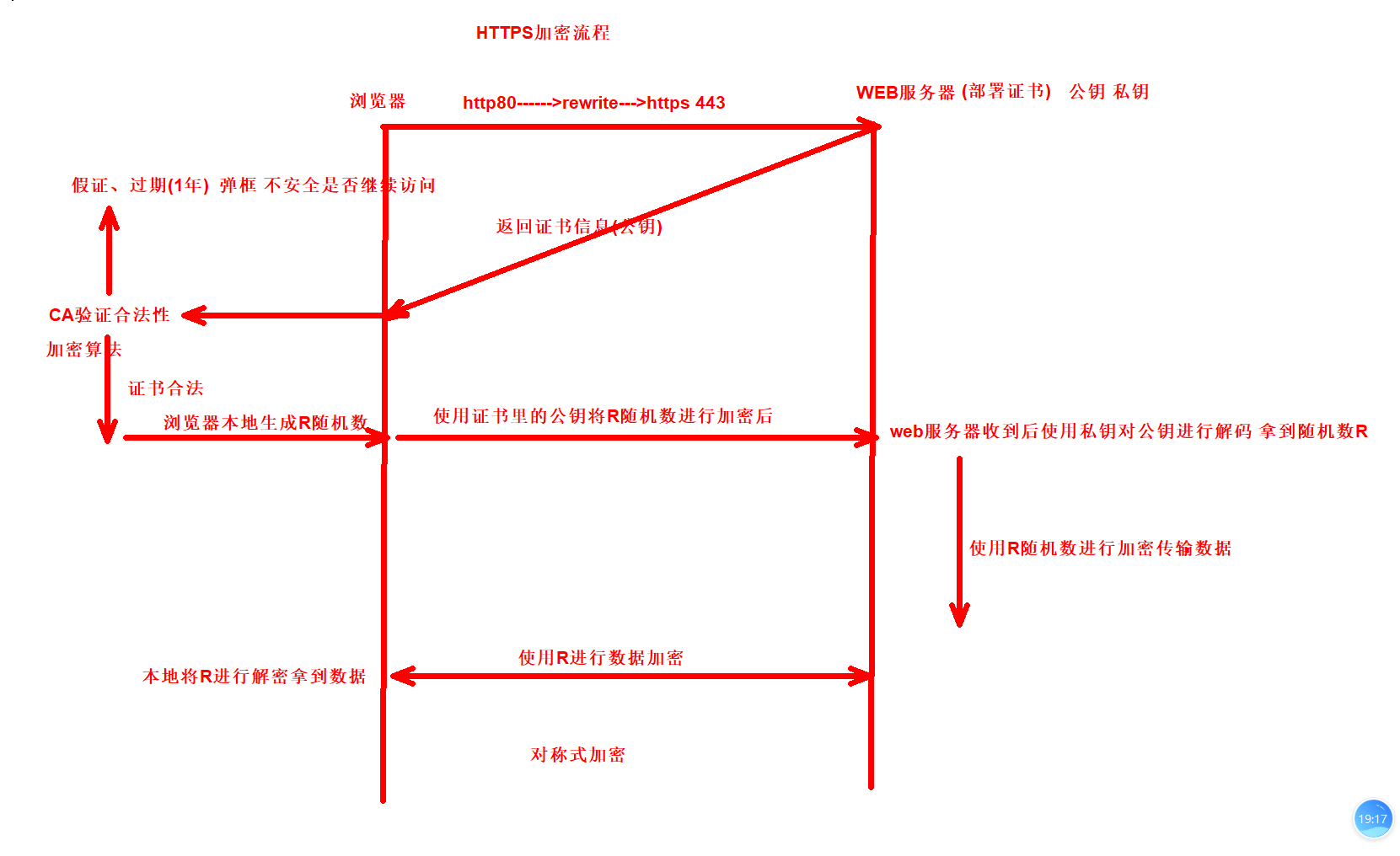
01.https证书
02.DNS劫持
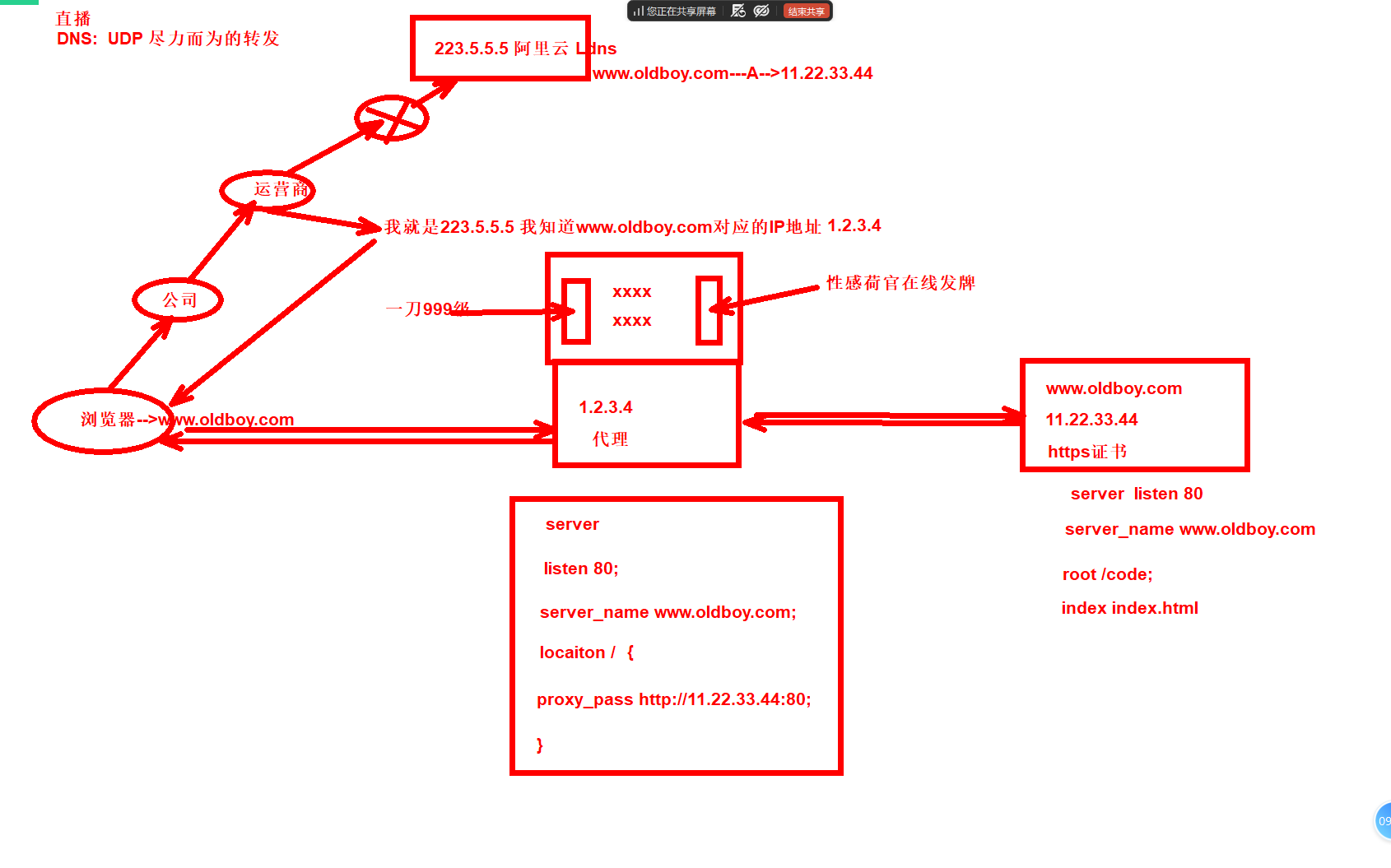
模拟DNS劫持---------
1.web01配置
2.web02配置劫持的网站
1.web01配置
1.配置server
[root@web01 conf.d]# cat test.conf
server {
    listen 80;
    server_name test.oldboy.com;
    root /code/test;
    index index.html;
}
[root@web01 conf.d]# nginx -t
nginx: the configuration file /etc/nginx/nginx.conf syntax is ok
nginx: configuration file /etc/nginx/nginx.conf test is successful
[root@web01 conf.d]# systemctl restart nginx

2.准备静态文件
[root@web01 conf.d]# cat /code/test/index.html
<!DOCTYPE html>
<html lang="en">
<head>
    <meta charset="UTF-8">
    <title>我是title</title>
</head>
<body>
<article>
  <header>
    <h1>我是妹妹</h1>
    <p>创建时间:<time pubdate="pubdate">2026/5/20</time></p>
  </header>
  <p>
    <b>Aticle</b>第一次用h5写文章,好他*的紧张...
  </p>
  <footer>
    <p><small>版权所有!</small></p>
  </footer>
</article>
</body>
</html>
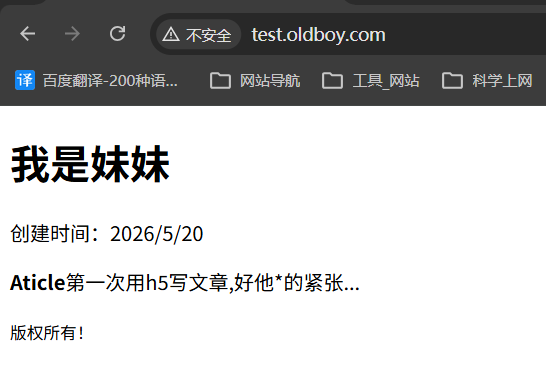
2.web02配置劫持的网站
[root@web02 conf.d]# cat test.conf
upstream jiechi {
        server 10.0.0.7:80;
}
server {
    listen 80;
    server_name test.oldboy.com;
        location / {
                proxy_pass http://jiechi;
                proxy_set_header Host $http_host;
                sub_filter '<h1>我是妹妹' '<h1>我是哥哥';
                sub_filter '<small>版权所有' ' <small>开源';
        }
}
[root@web02 conf.d]# nginx -t
nginx: the configuration file /etc/nginx/nginx.conf syntax is ok
nginx: configuration file /etc/nginx/nginx.conf test is successful
[root@web02 conf.d]# systemctl restart nginx

hosts解析
10.0.0.8 test.oldboy.com
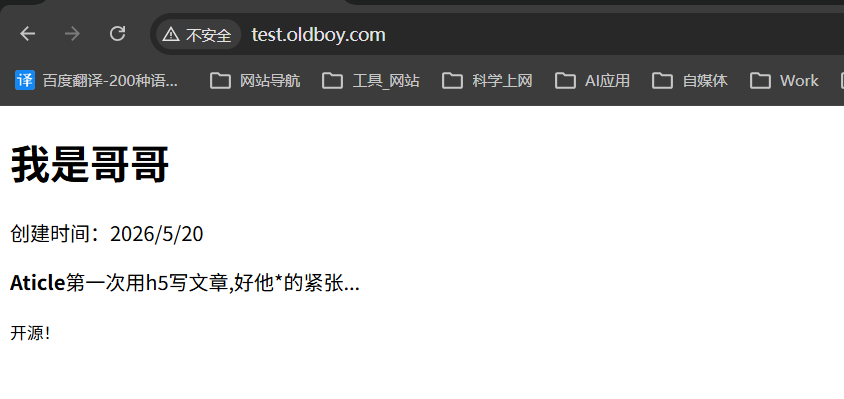
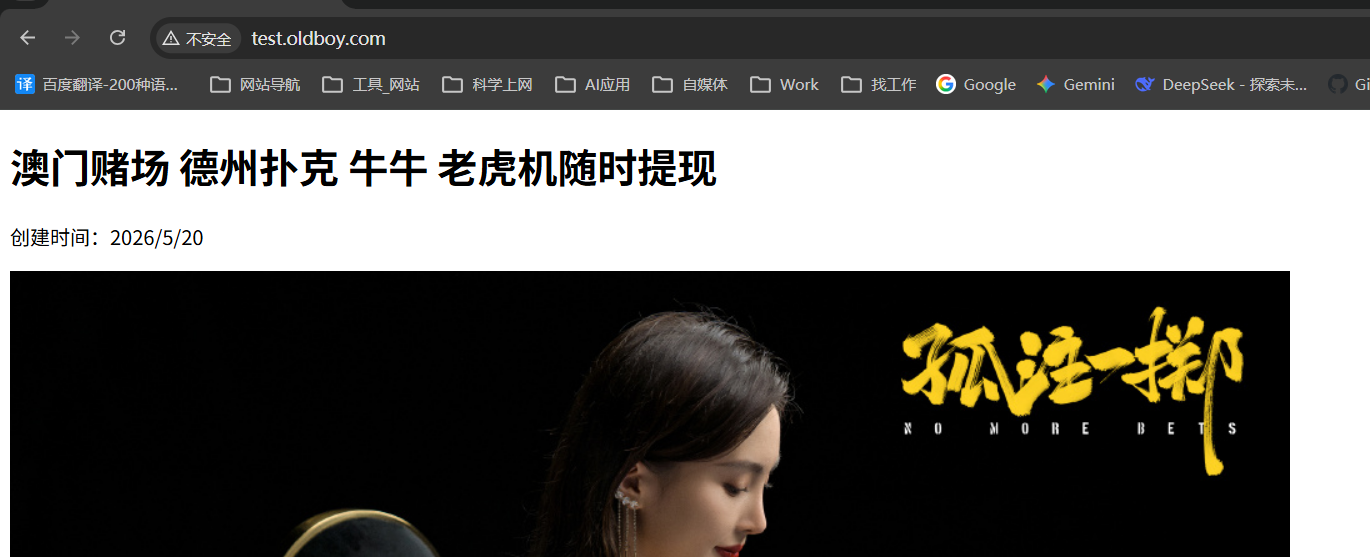
#修改为一张图片
[root@web02 conf.d]# cat test.conf
upstream jiechi {
        server 10.0.0.7:80;
}
server {
 listen 80;
 server_name test.oldboy.com;


       location / {
        proxy_pass http://jiechi;
       proxy_set_header Host $http_host;
       sub_filter '<h1>我是妹妹' '<h1>澳门赌场 德州扑克 牛牛 老虎机随时提现 ';
       sub_filter '<b>Aticle</b>第一次用h5写文章,好他*的紧张...' '<img src="https://p2.itc.cn/images01/20230808/c9902418f444489b8e0d4a6ff9d0933d.jpeg">';
                sub_filter '<small>版权所有' ' <small>开源';
        }

}
[root@web02 conf.d]# nginx -t
nginx: the configuration file /etc/nginx/nginx.conf syntax is ok
nginx: configuration file /etc/nginx/nginx.conf test is successful
[root@web02 conf.d]# systemctl restart nginx
03.证书类型
| 对比 | 域名型DV | 企业型OV | 增强型EV |
|---|---|---|---|
| 绿色地址栏 | 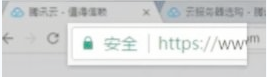 小锁标记+https 小锁标记+https |
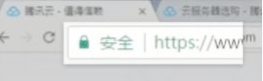 小锁标记+https 小锁标记+https |
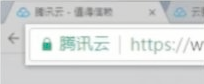 小锁标记+企业名称+https 小锁标记+企业名称+https |
| 一般用途 | 个人站点和应用;简单的https加密需求 | 电子商务站点和应用;中小企业站点 | 大型金融平台;大型企业和政府机构站点 |
| 审核内容 | 域名所有权验证 | 全面的企业身份验证;域名所有权验证 | 最高等级的企业身份验证;域名所有权验证 |
| 颁发时长 | 快 | 1-3 | 1-3工作日 |
| 单次申请年限 | 3个月 | 1-3年 | 1-3年 |
04.证书购买
1个证书可以保护单个域名
1个证书可以保护多个域名
1个证书可以保护*.oldboy.com
05.单台配置https
自己充当CA机构生成证书
1.配置存放证书的目录
[root@web01 conf.d]# mkdir -p /etc/nginx/ssl_key
2.进入目录生成证书
[root@web01 ~]# cd /etc/nginx/ssl_key/
[root@web01 ssl_key]# openssl genrsa -idea -out server.key 2048
Generating RSA private key, 2048 bit long modulus (2 primes)
..............................................+++++
...................+++++
e is 65537 (0x010001)
Enter pass phrase for server.key:
Verifying - Enter pass phrase for server.key:
[root@web01 ssl_key]# ls
server.key

3.生成自签证书,同时去掉私钥的密码
[root@web01 ssl_key]# openssl req -days 36500 -x509 \
> > -sha256 -nodes -newkey rsa:2048 -keyout server.key -out server.crt
Generating a RSA private key
..+++++
................................+++++
writing new private key to 'server.key'
-----
You are about to be asked to enter information that will be incorporated
into your certificate request.
What you are about to enter is what is called a Distinguished Name or a DN.
There are quite a few fields but you can leave some blank
For some fields there will be a default value,
If you enter '.', the field will be left blank.
-----
Country Name (2 letter code) [AU]:EN
State or Province Name (full name) [Some-State]:
Locality Name (eg, city) []:
Organization Name (eg, company) [Internet Widgits Pty Ltd]:
Organizational Unit Name (eg, section) []:
Common Name (e.g. server FQDN or YOUR name) []:
Email Address []:

4.查看证书
[root@web01 ssl_key]# ll
总用量 8
-rw-r--r-- 1 root root 1249  4月 30 15:57 server.crt
-rw------- 1 root root 1708  4月 30 15:57 server.key


5.Nginx单台实现https
[root@web01 conf.d]# cat wp.conf
server {
        listen 443 ssl;
        server_name www.wp.com;
     ssl_certificate   ssl_key/server.crt;
        ssl_certificate_key  ssl_key/server.key;

        location / {
                root /code/wp;
                index index.php index.html;
        }

        location ~ \.php$ {
                root /code/wp;
                fastcgi_pass 127.0.0.1:9000;
                fastcgi_param SCRIPT_FILENAME $document_root$fastcgi_script_name;
  include fastcgi_params;
         fastcgi_keep_conn on;
        }
}


server {
        listen 80;
        server_name www.wp.com;
        return 302 https://$server_name$request_uri;
}
[root@web01 conf.d]# nginx -t
nginx: the configuration file /etc/nginx/nginx.conf syntax is ok
nginx: configuration file /etc/nginx/nginx.conf test is successful
[root@web01 conf.d]# systemctl restart nginx
06.集群实现https
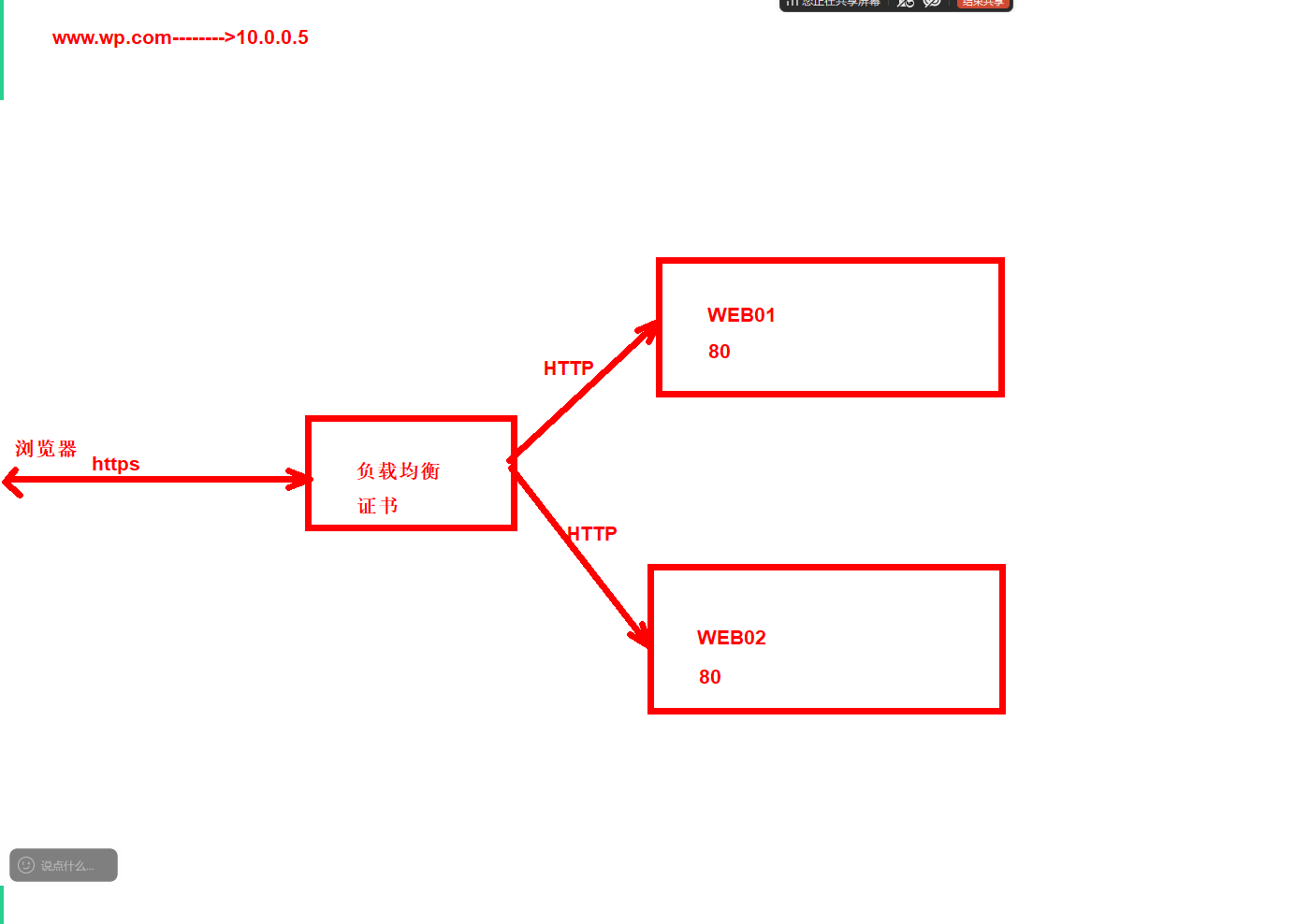
1.将证书拷贝到负载均衡
[root@web01 nginx]# scp -r ssl_key/ 10.0.0.5:/etc/nginx/

2.配置证书到负载均衡
[root@lb01 ~]# cd /etc/nginx/
[root@lb01 nginx]# ll ssl_key/
总用量 8
-rw-r--r-- 1 root root 1249  4月 30 16:15 server.crt
-rw------- 1 root root 1708  4月 30 16:15 server.key

[root@lb01 conf.d]# cat lb.conf
upstream webs {
    server 10.0.0.7:80;
    server 10.0.0.8:80;
    keepalive 16;
}
server {
 listen 443 ssl;
 server_name www.wp.com;
 ssl_certificate   ssl_key/server.crt;
        ssl_certificate_key  ssl_key/server.key;

 location / {
 proxy_pass http://webs;
 include proxy_params;
 }
}

server {
        listen 80;
        server_name www.wp.com;
        return 302 https://$server_name$request_uri;
}
[root@lb01 conf.d]# nginx -t
nginx: the configuration file /etc/nginx/nginx.conf syntax is ok
nginx: configuration file /etc/nginx/nginx.conf test is successful
[root@lb01 conf.d]# systemctl restart nginx

3.配置hosts解析
10.0.0.5 www.wp.com

4.web01 web02配置
fastcgi_param HTTPS on;

将wp zh phpmyadmin配置https
07.云服务器配置证书
1.购买证书
2.绑定域名
3.部署证书
[root@web02 conf.d]# cd /etc/ssl/cert
[root@web02 cert]# ll
总用量 16
-rw-r--r-- 1 root root 4145  4月 30 12:10 24727543_test.linuxnc.com_nginx.zip
-rw-r--r-- 1 root root 1675  4月 30 12:10 ssl.key
-rw-r--r-- 1 root root 3842  4月 30 12:10 ssl.pem
4.配置证书
[root@web02 conf.d]# cat wp.conf
server {
    listen 443 ssl;
    server_name test.linuxnc.com;
    ssl_certificate /etc/ssl/cert/ssl.pem;
        ssl_certificate_key /etc/ssl/cert/ssl.key;

    location / {
        root /code/wp;
        index index.php index.html;
    }

    location ~ \.php$ {
        root /code/wp;
        fastcgi_pass 127.0.0.1:9000;
        fastcgi_param SCRIPT_FILENAME $document_root$fastcgi_script_name;
        include fastcgi_params;
        fastcgi_param HTTPS on;
    }
}

server {
          listen 80;
          server_name test.linuxnc.com;
          return 302 https://$host$request_uri;
 }
五一作业
一阶段面试题 每周考试题
服务恢复
正文完